
How to make your spin bike smart for under £20 (no smart trainer needed)
 Steve Hampson, founder of Passo ·
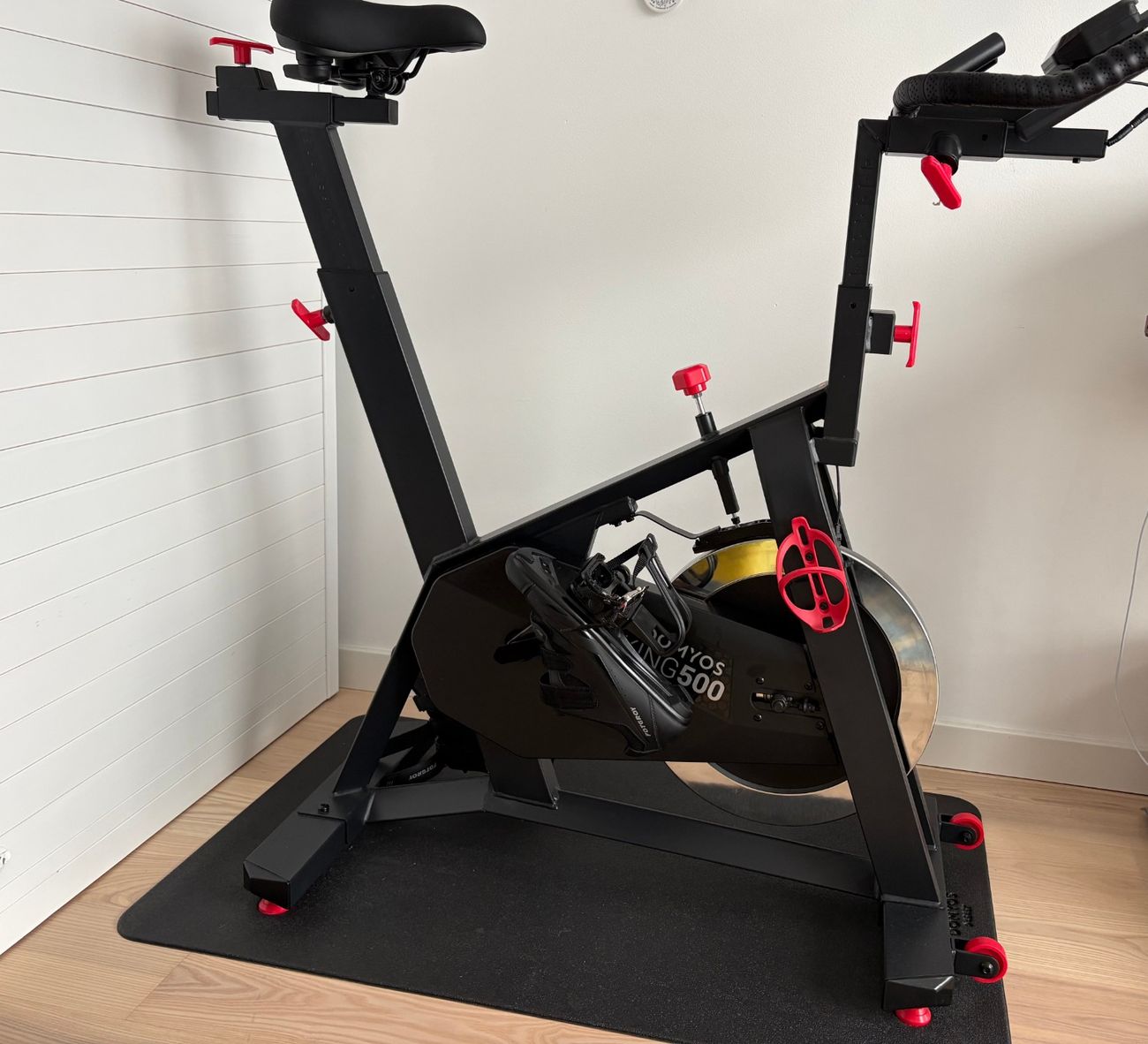
Fit a Bluetooth speed sensor to your spin bike's flywheel, put it in speed mode, and connect it in your web browser. They cost £15 to £20 (about $20 to $25, or €17 to €23), and mine took about five minutes to fit. You don't need a smart trainer or a power meter.
What "smart" means here
A smart trainer or a smart bike sets the resistance for you and measures your power in watts, and they cost hundreds. A speed sensor is much simpler: it tells the app how fast your flywheel is turning. You still set the resistance yourself with the knob, so you can make it as hard as you want.
1. Get a Bluetooth speed sensor
I bought a COOSPO sensor from Amazon. To be honest, I had no idea about choosing one. This one seems like a fine one, and they don't really have to do that much. Garmin make them too, and so do a few others:
- COOSPO: the one I use
- Magene
- Garmin
- Wahoo
Whichever you choose, make sure it's Bluetooth, because that's how your laptop talks to it.
2. Fit it to the flywheel's hub
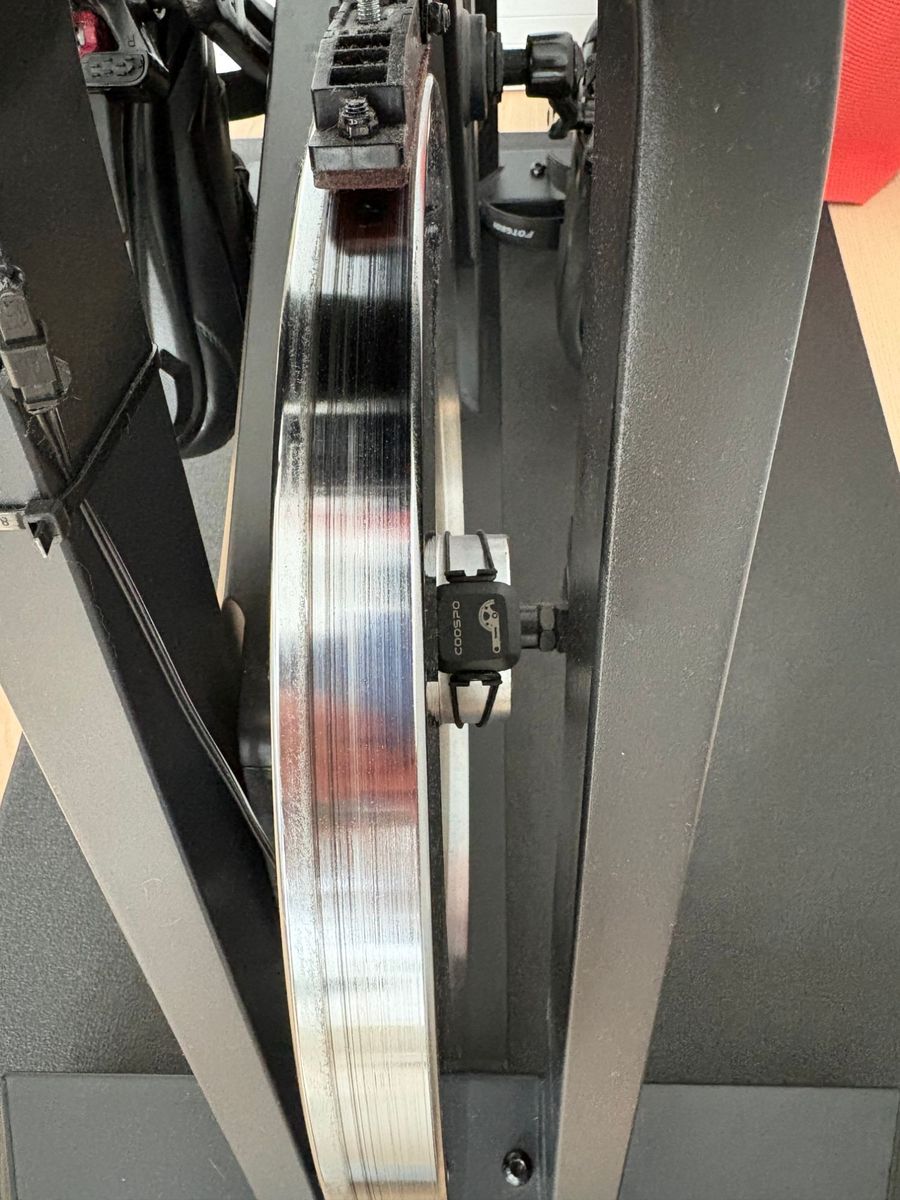
It comes with an elastic band that wraps around the hub of your spin bike's flywheel. You can fit them to other places as well, but I think it's good to fit it onto the wheel. Each one's different, but they come with instructions on how to fit them. It took me about five minutes.
My flywheel is easy to get to. I use a Domyos Biking 500 from Decathlon, which has its flywheel out in the open. If yours is behind a cover, look for a part you can reach that spins with the flywheel.
3. Make sure it's in speed mode
The only confusing thing is that these sensors do cadence and speed, so you have to make sure yours is in speed mode. Each one has instructions on how to do it. On mine, you take the battery out and put it back in again, which switches it to the other mode each time. I just had to do that once or twice to make sure it was in speed mode.
If it's in the wrong mode, Passo tells you it's counting pedal strokes, so you'll know.
4. Find a spot for your laptop or tablet
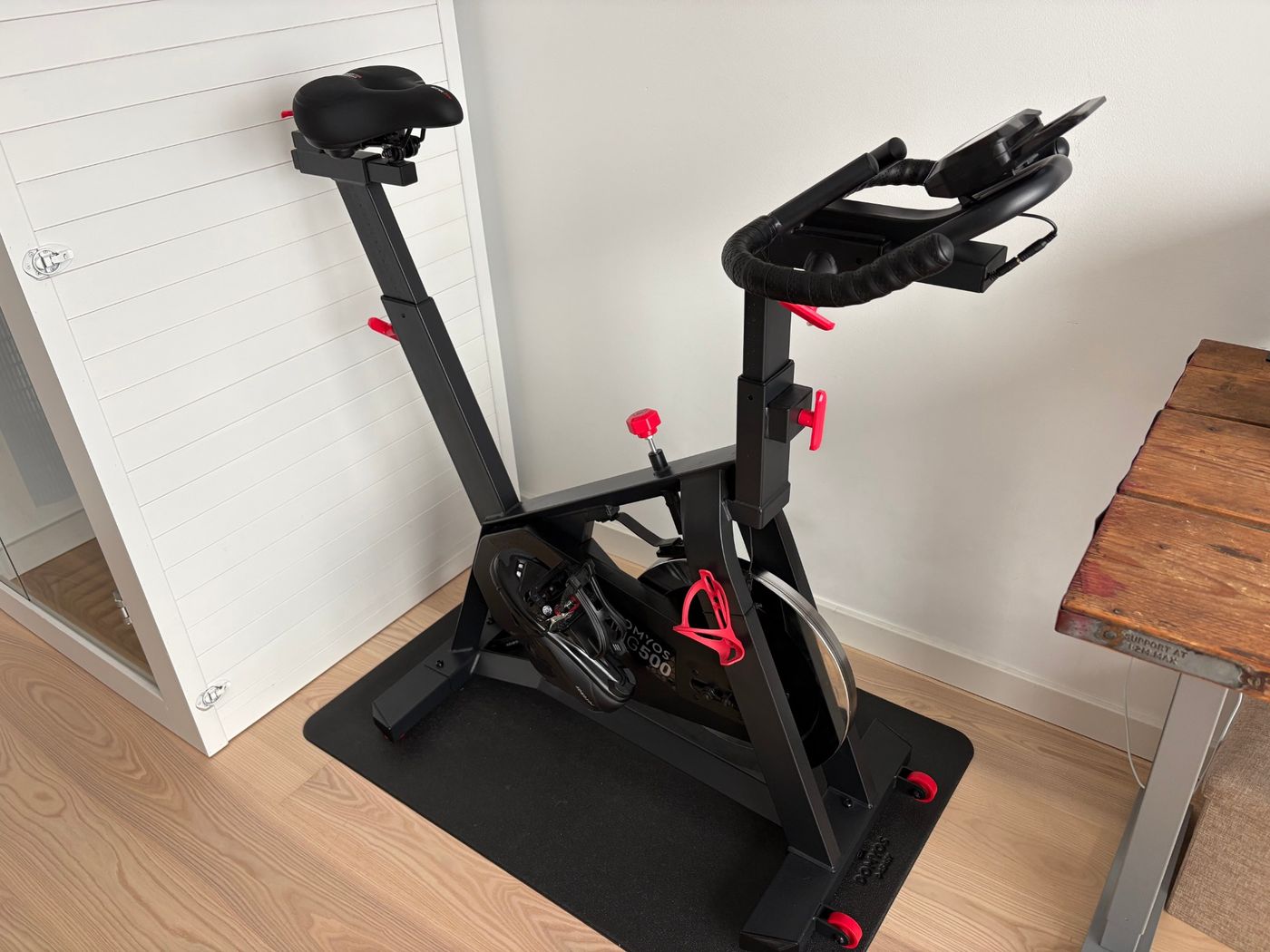
My bike has a laptop holder, rather precariously, and the only reason it works is that I use a MacBook, which is quite slim. If it was a chunkier Windows laptop, I'm not quite sure it would.
There are lots of ways to do it, and it completely depends on your bike:
- a laptop holder on the bike, if yours already has one
- a music stand in front of the bike
- a desk or table next to it
- an Android tablet resting on the bike's console
- a tablet holder with a bendy arm, like the ones you can get on Amazon
iPhones and iPads can't connect to sensors in a web browser, so for now you'll need a laptop or an Android tablet.
5. Connect it and ride
Pairing was straightforward. It's Bluetooth, so the browser found it pretty soon.
In Passo, open ridepasso.com in Chrome or Edge and press Start ride. Give the pedals a spin to wake the sensor, then press Connect speed sensor and pick it from the list.
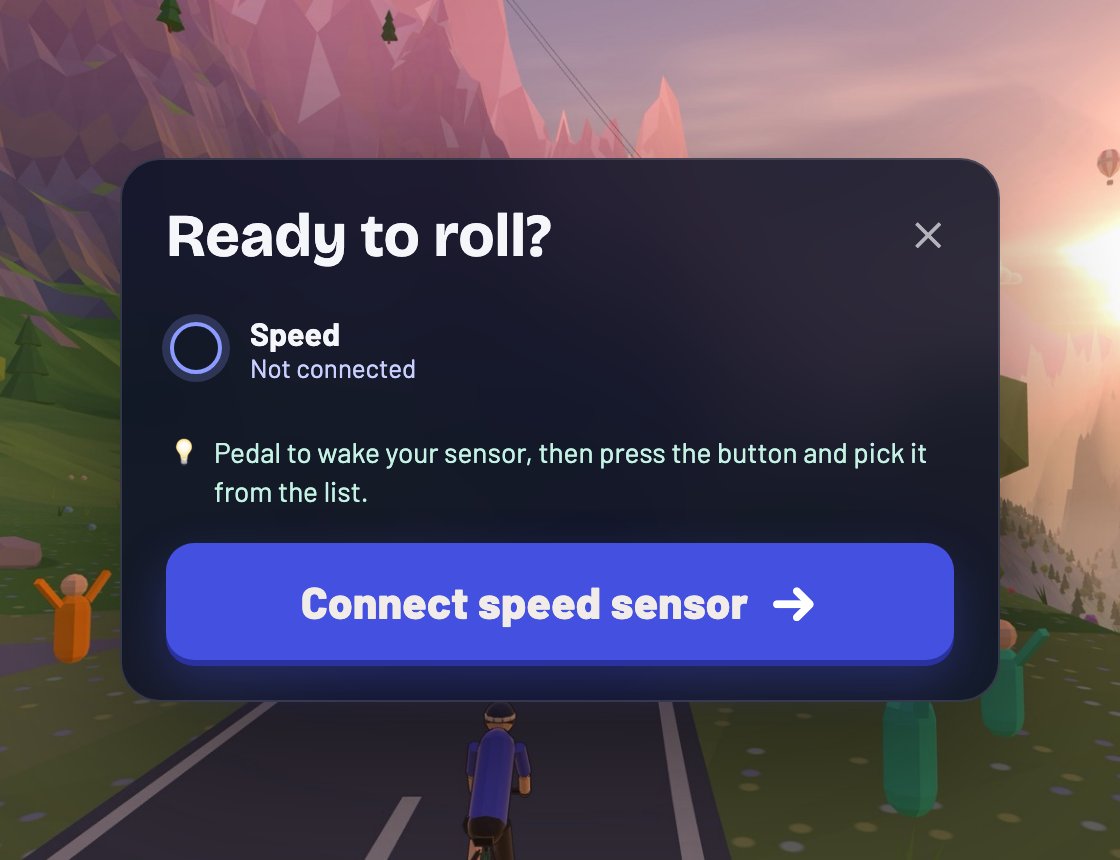
The first time I pedalled and the game moved, it was great to see the connection between the physical action and the game. Really satisfying.
Not showing up?
- Spin the flywheel: sensors go to sleep to save their battery, and pedalling wakes them.
- Check nothing else is using it: some sensors only talk to one device at a time over Bluetooth, so a watch or bike computer connected to it can hide it. Set that to use it over ANT+ instead.
- Close any other Passo tabs: another tab can hold on to the sensor.
- Check the mode: if it's counting pedal strokes, switch it to speed mode (step 3).
It works with other apps too
A speed sensor isn't just for Passo. Zwift can use one too, which it calls zPower[1], so it's a cheap way to try riding indoors whichever app you end up using.
What you need to try Passo
- your spin bike or exercise bike
- a Bluetooth speed sensor on the flywheel (about £15 to £20)
- a laptop or Android tablet with Chrome or Edge
No smart trainer, no power meter and nothing to install.
Steve's normally a keen runner. When he broke his foot and couldn't run, he found indoor cycling boring, so he came up with Passo to make it more fun and interesting.
More guides: How to make your exercise bike less boring · Indoor cycling apps for a spin bike, compared
COOSPO, Magene, Garmin, Wahoo, Domyos, Decathlon and Zwift are trademarks of their owners. Passo isn't connected with or endorsed by any of them.
Sources
- Zwift Support, zPower